How to Make a Bulin 47 AI Video: Photo to Performance
Make a Bulin 47 AI video from a photo: choose a template, add a song topic, check credits, and review the result. Includes a separate DIY workflow.
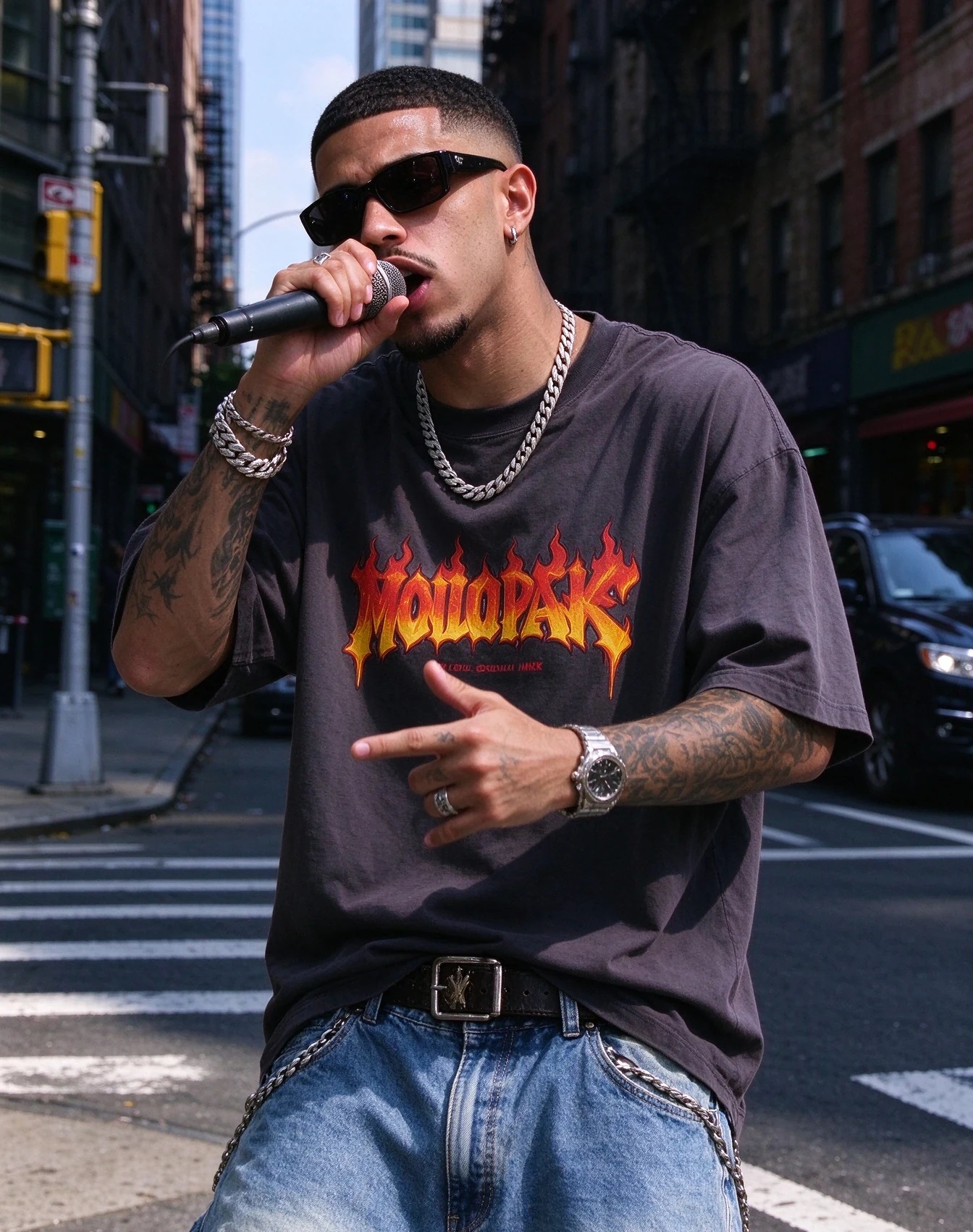
How to make a Bulin 47 AI video
You can make a bulin 47 freestyle AI video in two ways:
- Path A (on-site generator): Upload one character photo to bulin47freestyle.site, pick Freestyle or Rap Show, choose your topic and duration (5, 10, or 15 seconds), and request a 9:16 · 768P clip.
- Path B (DIY with general models): Recreate the red-door freestyle aesthetic in tools like Kling, Runway, or Luma using detailed motion prompts, scene references, and matched audio.
If your chosen DIY model caps video duration, build your story across short segments and stitch them in post. When continuing the same camera shot between clips, use the previous clip’s last frame as a starting image if the external model supports it. This may help the join, but does not guarantee continuous motion or a stable face.
For an overview of the templates, read What is Bulin 47 freestyle AI video?. Ready-to-use prompts live in Bulin 47 AI video prompts.
Preparing a Bulin 47 video request
For Path A (this site)
- One clear character photo (JPG, PNG, or WebP, up to 5 MB)
- Permission to use the photo
- Topic: praise, friendship, encouragement, or celebration (+ optional detail)
- Credits for your selected duration (see pricing below)
For Path B (general models)
- A character photo you have the rights to use
- Optional scene references: background stills, short reference clips, or wardrobe notes
- A target clip length supported by your video model
- An image generator and video generator (or an all-in-one platform)
- A separate vocal or beat generator if your video tool lacks audio
- Clear copyright and likeness clearance before publishing or monetizing
Path A — Use the Bulin 47 AI video generator
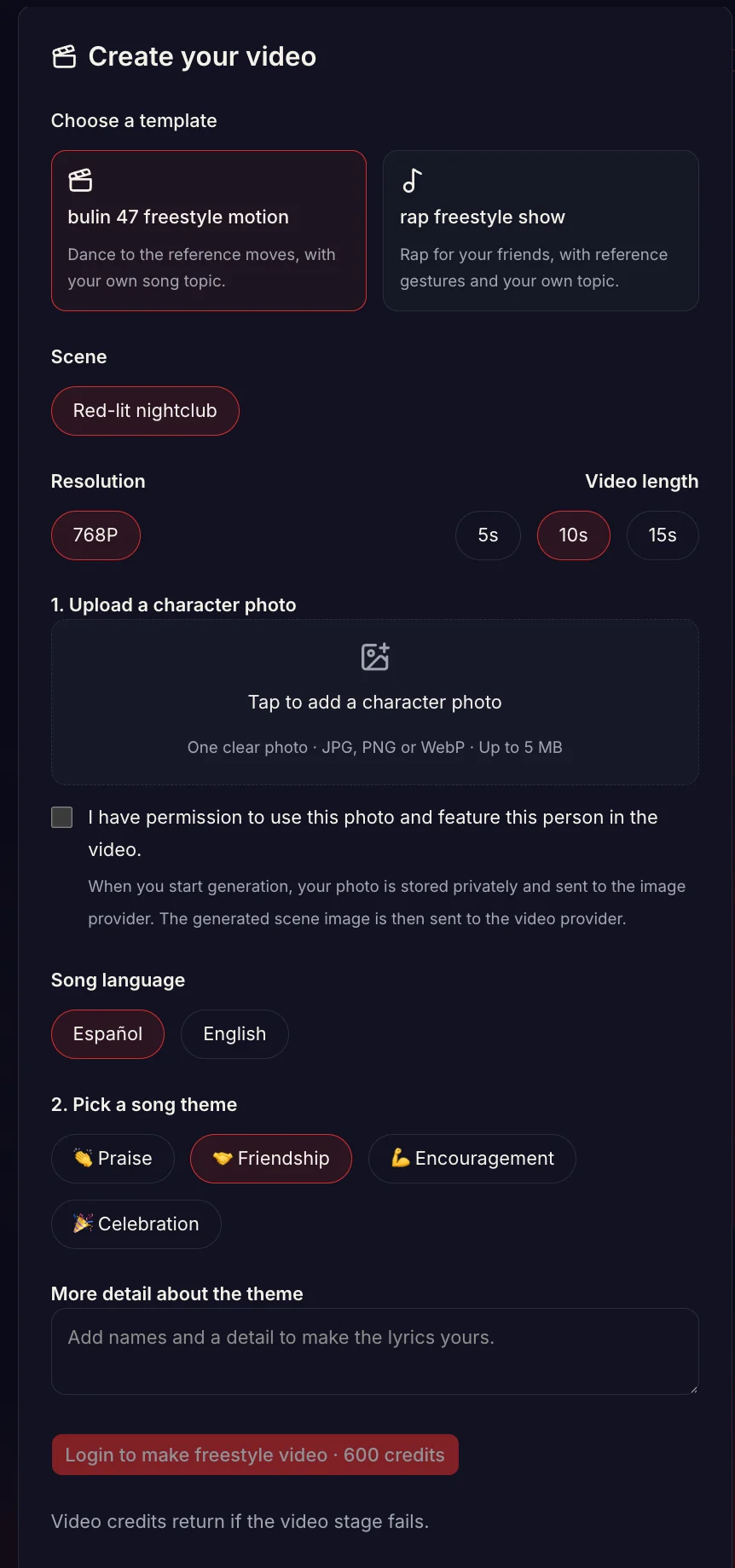
The Create your video form: pick Freestyle or Rap Show, upload a character photo, set topic / length, then generate.
Step 1: Open the Bulin 47 video generator
Open the Bulin 47 video form on the homepage (/#generator). You can explore options while signed out; signing in is required when you hit generate.
Step 2: Choose your Bulin 47 freestyle template
- Bulin 47 Freestyle — your character dances in a fixed red-lit nightclub scene
- Rap freestyle Show — your character raps in a nightclub, living room, or night street
Pick Freestyle when you want dance with a generated song in the fixed red-lit scene. Pick Rap Show when you want spoken bars tailored to a specific topic and setting.
Step 3: Add a photo for your Bulin 47 AI video
For your Bulin 47 AI video, choose a sharp, well-lit photo. Everyday clothing works well. Ensure you have permission to feature this person. Selecting the file while signed out keeps it in this browser for login recovery. When you start generation, the photo is uploaded privately and sent to the image provider. The prepared scene image is then sent to the video provider.
Step 4: Give your Bulin 47 rap a song topic
Pick praise, friendship, encouragement, or celebration. Add an optional detail if you want personal bars (“Maya’s last night before moving”).
Step 5: Check the Bulin 47 video quote
Choose 5, 10 or 15 seconds for your Bulin 47 video. Credit requirements update automatically. Click generate, sign in if prompted, top up credits if needed, and let the model render the scene image and final video. Preview the result in the studio panel and download your MP4.
Bulin 47 AI video credits and output format
Built-in templates charge 30 credits per output second plus a fixed 10-second reference charge. Standard costs:
| Length | Credits | | ---------- | ------- | | 5 seconds | 450 | | 10 seconds | 600 | | 15 seconds | 750 |
One-time credit packs come in 600 / 1800 / 3000 credits (roughly 1 / 3 / 5 clips at the default 10-second mark). Rendered clarity is 9:16 · 768P. If a video generation fails, the video credits return to your balance. See pricing for full plan details.
Troubleshooting a Bulin 47 rap request
- Photo rejected or unclear — retake with clearer lighting and a sharper face; avoid heavy motion blur or tiny crops.
- Scene mismatch — Rap Show can switch between nightclub, living room and street. Freestyle keeps the fixed nightclub. Song details do not control the scene.
- Need a longer narrative — the site does not expose individual shot instructions, two-person duets or continuation frames. Use the DIY path with a suitable external model, then edit the clips together.
Path B — Plan a Bulin 47 freestyle scene in an external model
This path is for creators using an external video model that accepts the references and instructions they need. Check that model’s current input and duration limits before starting. The core creative formula combines a focused motion description, a Latin urban rhythm pocket, and durations your model can execute reliably.
Checklist before you prompt
- Know your model’s duration limit — use the duration options documented for the exact model and mode you selected.
- Gather clean references — use scene stills, brief motion clips, or wardrobe palettes that you have permission to use.
- Aim for one dramatic beat per generation — the stop-and-answer moment or the two-person exchange. Trying to fit an entire story into one prompt usually degrades motion quality.
- Plan for stitching — if your external model supports a starting image, try the previous clip’s last frame for the next segment. Inspect the join and trim or cut if needed; it does not guarantee continuity.
- Keep audio stylistically consistent — For these DIY examples, try Latin trap or drill around 90–105 BPM as a creative starting point, not a model performance rule. Write original bars rather than sampling protected vocals.
DIY action ideas for a Bulin 47 freestyle scene
Use these four beats as building blocks:
- Fan opener — curly-haired fan holds a portable speaker, rapping in Spanish with street energy while crowd noise builds.
- Lead stop + turn — silhouetted rapper in sunglasses and a bold club shirt pauses outside a red-lit club door; both hands bounce rhythmically on the tempo as they scan the crowd.
- Two-person exchange — fan and lead trade lines; head nods, pointing, and arm swings lock into the beat.
- Button finish — laughter, claps, crowd cheer, and the lead walks through the club doors.
Visual language to lock
- Night street or club door, red neon wash, subtle camera drift, shallow depth of field
- Lead: sunglasses, bright mesh or patterned top, relaxed confident posture
- Fan: casual street fit, portable speaker, phone camera raised
- Background: security guards shifting from alert to entertained; phones glowing in the crowd
Audio language to lock
- Genre pocket: Latin Urban / Drill / Spanish Trap
- Tempo: 90–105 BPM (a creative choice for these DIY examples, not an on-site setting)
- Structure: 1–2 seconds of ambient crowd buzz, followed by punchy freestyle bars
- Lyrics: greeting the neighborhood, answering a fan, or quick celebration—keep words original
Building a DIY Bulin 47 video
- Collect references: a red-door background still, an approved character portrait, and any motion guides you have rights to use.
- Draft the prompt: focus on a single beat (such as Shot 1 stop-turn or Shot 2 exchange). Full prompts are in the prompt pack.
- Generate the video: render up to your model’s supported duration limit.
- Produce companion audio: generate a matching 90–105 BPM track or use native audio generation with original lines.
- Extend if needed: for multi-segment stories in the same shot, export the final frame of clip 1 as the starter frame for clip 2, then assemble both in your editor.
Reviewing the DIY Bulin 47 video
- Faces deform or morph — shorten clip length, keep the subject prominent in the frame, and lower background crowd density.
- Hands look unnatural — limit simultaneous actions; specify a single clean gesture like “rhythmically bounces both hands on tempo.”
- Audio feels rushed — drop tempo closer to 90–95 BPM and reduce syllable count in each bar.
- Rights clearance — verify licenses for any third-party photos, backing tracks, or video references before publishing online.
Choosing a workflow for your Bulin 47 video
| Goal | Better path | | ------------------------------------------------------------------ | --------------------------------------------------------- | | Vertical freestyle from one photo with packs and download | Path A | | Planning custom shots / using your own model stack | Path B | | Occasion bars (birthday, friendship, encouragement) with templates | Path A | | Granular control over camera angles, prompts, and custom audio | Path B (+ prompt pack) |
Choose the on-site path for its built-in templates. Choose DIY for shot and audio instructions that the on-site form does not provide. Neither path guarantees a delivery time.
Rights and review for a Bulin 47 rap video
- DIY (Path B): When referencing external photos, audio, or footage, ensure you have the proper licenses or permissions. Keep lyrics and backing tracks original or royalty-free rather than sampling protected music.
- On this site (Path A): Upload only photos you have permission to use. Freestyle edits a fixed scene still to replace its central person; Rap Show prepares the selected scene from your photo. Both use built-in action references to generate a new video. Do not use the result to impersonate a real person or deceive viewers. Review our AI Content Policy for details.
More Bulin 47 AI video guides
- Prompt pack: Bulin 47 AI video prompts
- Template overview: What is Bulin 47 freestyle AI video?